








 Abay Mini MarketMerchant · found nearby
Pay the shop you’re standing in
Abay Mini Market appears on your radar. Tap it, enter the amount, approve. No merchant ID, no QR code.
AirPay finds the shops and people around you by name. Tap who you’re paying, check it’s them, approve. No account number to read out. No QR code to hunt for.
 Live now in Dashen Super AppBuilt by Eagle Lion System Technology
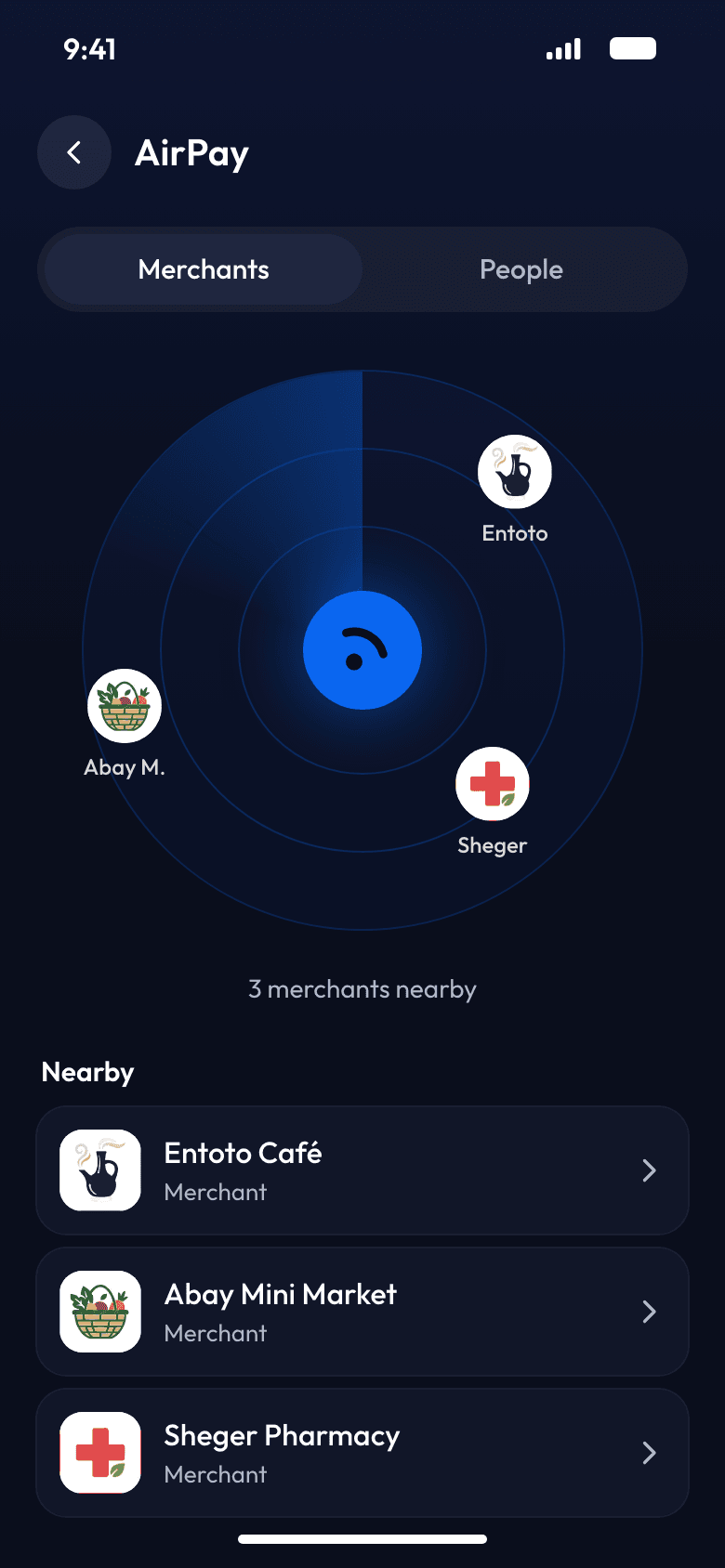
 Entoto CaféFound nearby
 Arada BoutiqueFound nearbyAbay Mini MarketFound nearby
 Sheger PharmacyFound nearby
No digits. Just a name.
Most payments here start with a number. One person reads it out, the other types it in, and both hope it’s right. AirPay starts with what you already know: who you’re paying.
From opening AirPay to money sent, without typing a single account number.
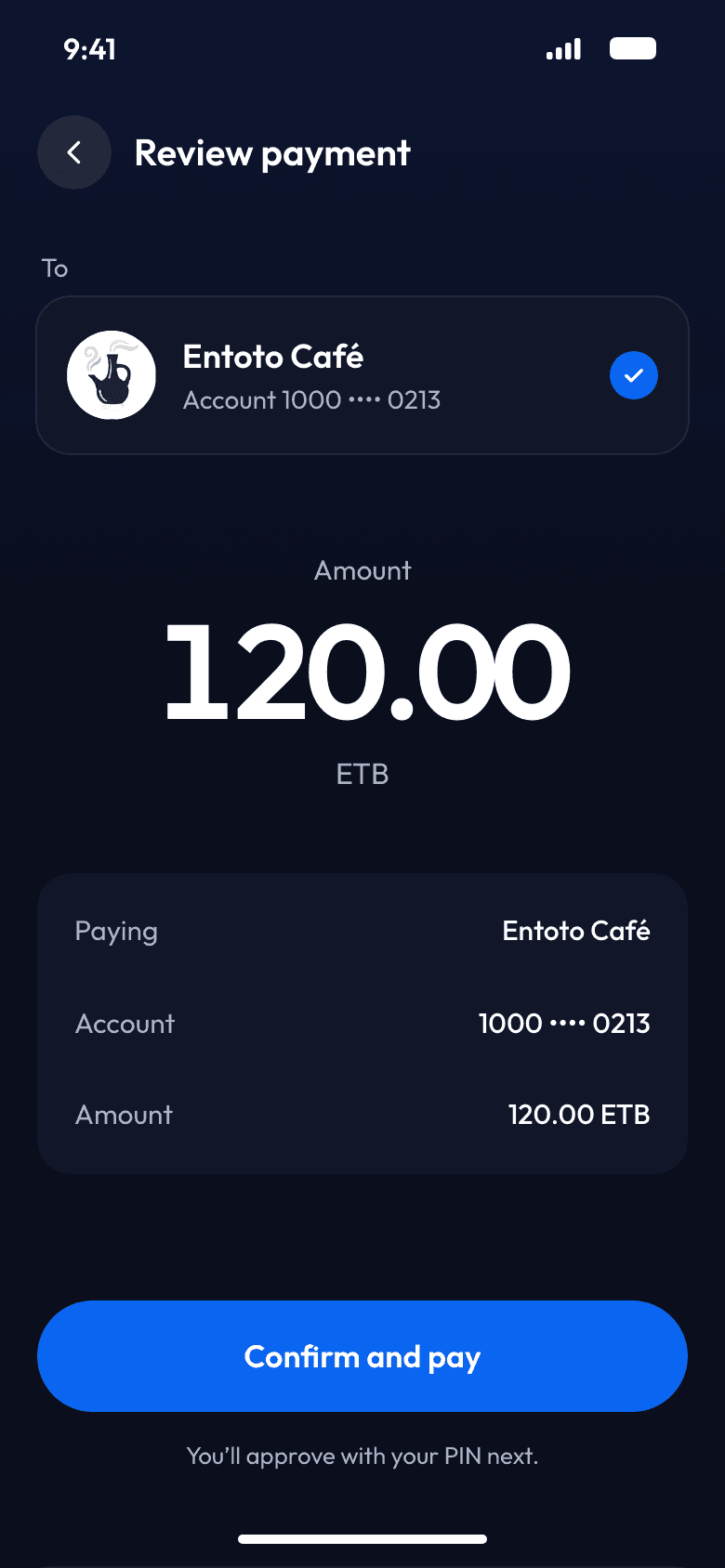
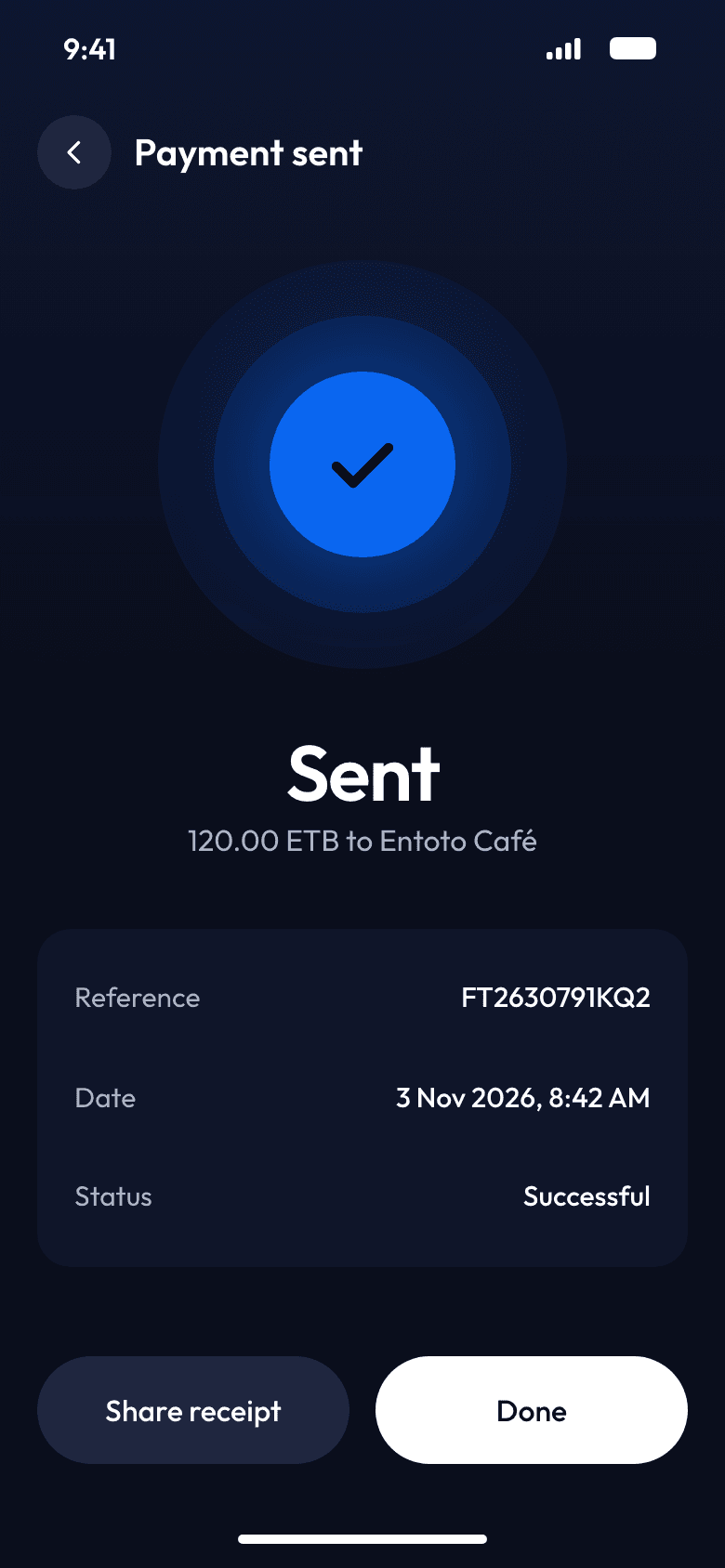
The same radar finds the shop in front of you and the friend beside you, both by name.
Abay Mini MarketMerchant · found nearbyAbay Mini Market appears on your radar. Tap it, enter the amount, approve. No merchant ID, no QR code.

Settle up on the spot. Your friend appears by name, with their account masked.
 Entoto CaféMerchant · found nearby
 Sheger Coffee HouseMerchant · found nearby
Both appear by name. You pick the one you’re sitting in.

Join AirPay through StarPay, and customers nearby find your shop by name. No QR sticker to keep clean. No merchant ID to read out at the counter.
 Rahel’s CaféMerchant · found nearby
AirPay is protected by a patent from the Ethiopian Intellectual Property Authority.
AirPay is developed and owned by Eagle Lion System Technology. Customers pay from the Dashen Super App, and shops get paid through StarPay, the merchant payment network.
 Eagle Lion System TechnologyDesigns, builds and owns AirPay.
 AirPayPay the shops and people around you, by name.
 Live nowDashen Super AppAirPay’s first home. Live since October 2026.
 For merchantsStarPayThe merchant side: shops join AirPay and get paid through StarPay.
For the people who pay, the shops that get paid, and the banks and partners who offer AirPay.
Can’t find yours? Ask the AirPay team at Eagle Lion.
A way to pay the shops and people around you by name. Open AirPay, tap who you’re paying, check their name and masked account, and approve. No account number to read out, nothing to type but the amount.
The Dashen Super App, with AirPay open and location turned on. The shop or person you’re paying needs the same, so you can find each other.
Every shop and person appears by name, with a masked account number, before you pay. You review the details and approve with your PIN. Nothing moves until you confirm.
Eligible shops and Dashen Super App customers near you who have AirPay open and location turned on.
Through StarPay, the merchant payment network. Shops join AirPay on StarPay, and customers nearby can then find them by name.
Nothing extra. No QR sticker, no stand, no hardware. Customers nearby find your shop by name, and you get paid through StarPay.
AirPay is developed and owned by Eagle Lion System Technology and protected by a patent from the Ethiopian Intellectual Property Authority. The Dashen Super App is its first launch partner, and shops join through StarPay.
AirPay launched in the Dashen Super App. Banks, wallets and apps that want to offer it to their customers can talk to the Eagle Lion team.